Texts whose wording or script repeats across reports, such as lead-generation pitches. A shared script can be used by many unrelated senders and does not establish a common sender.
No recurring script has been published yet. When 3 eligible reports match, the pattern goes to a maintainer for review; it is published only after review. The review checks that the match is real, that no personal detail survived scrubbing, and that the pattern does not read as identifying a person or a single business.
Legend. Each state or DC is one equal-size tile (a row in the list on narrow screens). Color shows the state’s total reports in this range, and the number is the exact count. Each state’s area codes are listed on its detail view.
0 reports in this range
1 report
2–4 reports
5–19 reports
20+ reports
Counts are voluntary reports and do not measure how much spam is sent. How counts work.
How it works
Scroll sideways to see all five steps →
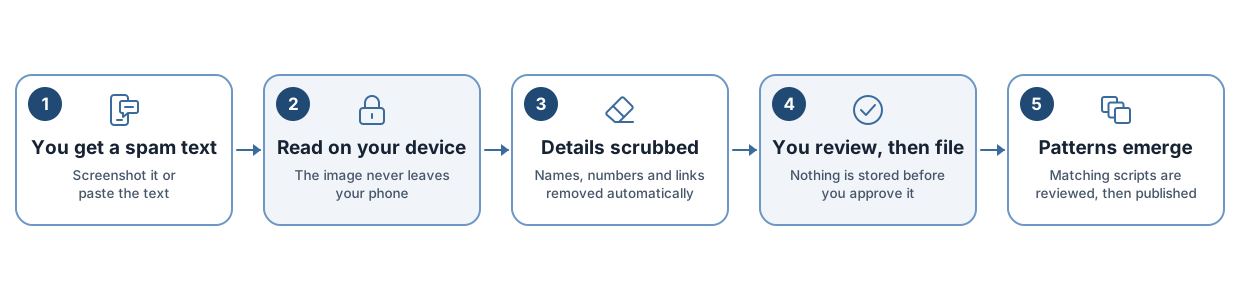
You get a spam text. Screenshot it or paste the text.
Read on your device. The image never leaves your phone.
Details scrubbed. Names, numbers and links removed automatically.
You review, then file. Nothing is stored before you approve it.
Patterns emerge. Matching scripts are reviewed, then published.
Each step is described in full in the methodology (scrubbing, matching and review) and on the privacy page (what is stored).
 Spam Patterns